
BIMx model
BIMx Presentation
A BIMx hyper-model turns drawings into an interactive project experience, helping investors understand space, scale, and key decisions without reading technical plans.
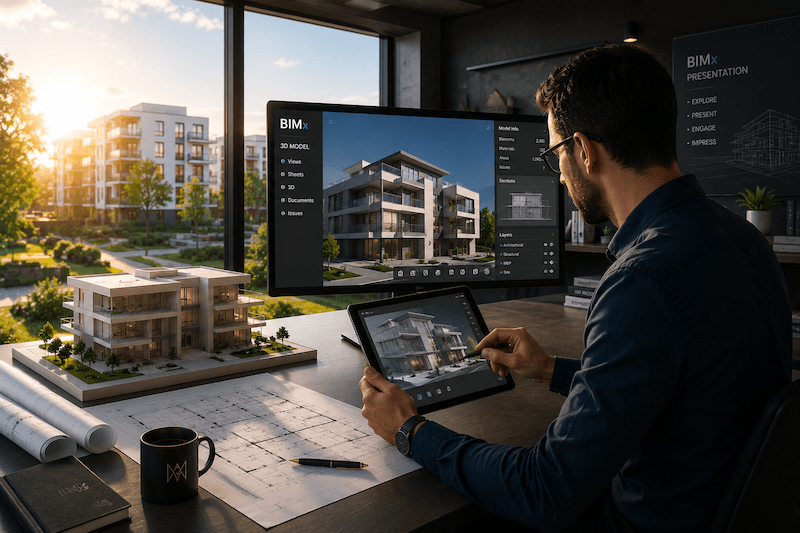
Interactive 3D project review
Explore the future building through an interactive 3D presentation before construction begins.
Service overview
An interactive view for quickly understanding drawings
We use BIMx software for practical communication between the investor, architect, and contractor.
3D
Architectural drawings, including floor plans, sections, and axonometric views
Model
Shareable with other disciplines
Devices
Project review available on smartphones and laptops
Key outcomes
What this improves
- Better understanding of space
- Move through the project visually and understand room relationships, proportions, levels, and circulation.
- Faster design feedback
- Collect clearer comments because stakeholders can review the project through an intuitive model experience.
- More confident approvals
- Support decisions with a model that makes plans easier to understand before commitments are made.
Scope
What can be included
These blocks are ready for client-specific BIMx deliverables once the final package is defined.
Real-time 3D navigation and walkthrough experience
Layer control, dimensions, and BIM information inside the model
A single shareable file for desktop, tablet, or mobile review
Clearer communication between investor, architect, and contractor
Model preparation for internal review meetings
Presentation support for faster feedback cycles
Process
From model preparation to guided review
- 01
Model review
Confirm the available model, documentation level, and what the investor needs to understand.
- 02
BIMx setup
Prepare the model for presentation, navigation, layers, and useful review points.
- 03
Stakeholder walkthrough
Use the model to discuss spatial decisions, questions, and changes before construction.
- 04
Decision summary
Document feedback and next steps so design or execution teams can act on the review.
Why it matters
With a 3D model, complex documentation becomes clear at a glance
BIMx reduces the distance between technical drawings and investor decisions. This space can later carry proof points, screenshots, or a client quote.
Less dependence on technical drawing knowledge
Better alignment before approvals
Useful for investors who cannot attend a meeting in person
FAQ
Useful questions before we start
What device do clients need?
Placeholder answer: BIMx can be reviewed on common devices, and the final content can explain the recommended app or access method.
Does BIMx replace technical drawings?
Placeholder answer: BIMx supports understanding and review, while technical drawings remain the documentation base for approvals and execution.
Can feedback be collected during review?
Yes. Placeholder answer: Feedback can be collected during review sessions and translated into design or coordination actions.
Next step
Make the project easier to understand
Send the available model or documentation and we will outline the best review format.